


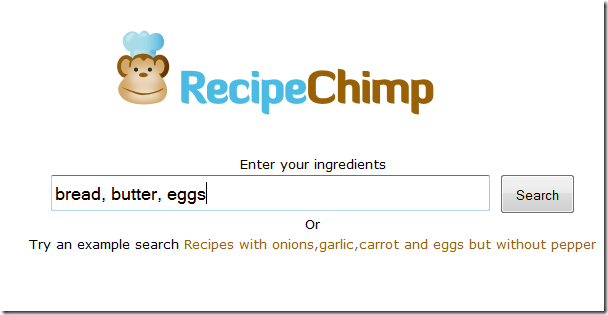
Recipe Chimp lets you enter food ingredients and produces a list of recipes you could prepare using them.


Recipe Chimp lets you enter food ingredients and produces a list of recipes you could prepare using them.
Recently I had a chance to spend some quality time with the folks at Bitly, getting to know more about their terrific service. There’s a wealth of data there if you dig in. Not all of my Twitter clients integrate with the Bitly API yet, but I find myself seeking out apps that do allow me to enter my account info since it gives me rich analytics and (hopefully) insights into how I can be more effective.

I’m always amazed that more people don’t know the little tricks you can use to get more out of a simple Google search. Here are 19 of my favorites
Use the “site:” operator to limit searches to a particular site. I use this one all the time, and it’s particularly handy because many site’s built-in search tools don’t return the results you’re looking for (and some sites don’t even have a search feature). If I’m looking for NetWidZ..! posts about iPhone, for example, I could try this search: iPhone site:netwidz.com.

Google has added a neat new Labs feature to Gmail that shifts the position of the icon column in your inbox to the left-hand side of the screen. The icon column is used to indicate emails with attachments, calendar invitations, chats and Buzz posts, but normally sits out of your eyeline on the right-hand side. Shifting it to the left gives the icons more prominence, and means that it’s easier to determine what’s in your inbox at a glance.
(more…)

Facebook announced a revamp of its user privacy controls, responding to widespread public criticism following its f8 conference product launches with systematic changes that it said came out of weeks of nights-and-weekend work by its top engineers and designers. Facebook CEO Mark Zuckerberg called the release a “modern privacy system” that reflects what the site has become and incorporates feedback from users.

The BBC has relaunched the website version of its popular iPlayer service in an effort to give the online telly catch-up service a Web2.0rhea sheen.
The Corporation said it had simplified its iPlayer by making TV and radio shows easier to search for via its website. The Beeb has also tweaked the interface to allow users to personalise their iPlayer “experience”, and dipped the whole thing in some social networking dye.
(more…)
 Social network Facebook has said it will offer a one-stop shop for privacy settings in response to user concerns.
Facebook founder Mark Zuckerberg admitted the settings had “gotten complex” for users.
It follows a storm of protest from users over a series of changes on the site that left its members unsure about how public their information had become. (more…)
You’re a blogger, author, poet or have original writing on the web? Wouldn’t it be nice if there was an easy and convenient way for you to monitor the web and discover sites that are reusing your original content?
now you can check your original contents are copied in other sites or can check the licenced author of the contents by just entering URL’s in following sites easily


From the window,
Go to start –> Run–> and in run Enter cmd
it open the command prompt
from the command prompt type ” ping” “Space” “your domin”
eg: “ping http://www.google.com” and press enter
it show the IP address of Domin
to trace a domin
Go to start –> Run–> and in run Enter cmd
it open the command prompt
from the command prompt type ” tracert” “Space” “your domin”
eg: “tracert http://www.google.com” and press enter
and then after entering it will show you the IP address of the Domin
This page can be used to find the IP of a host machine (convert host to IP) or domain name (convert domain name to ip address) or find the name of one of the hosts at an IP address (convert ip address).
The process of finding the IP address is achieved by searching the DNS (Domain Name Servers) until a match on the domain name is found. This process is also known as DNS lookup, NSLOOKUP or (erroneously) IP lookup
The process of finding the host name (or domain name) from an IP address involves sending a message to the IP address and requesting the computer located at that IP address to return its name. Usually this will be the same as the domain name. However, many computers host many domains so the host name may be one of the domain names hosted or it could be something totally different.
 fzcool
 NetWidZ..!